

The goal of this “hackathon”-style exercise was to demonstrate the power of the Streamlike API and how easy it is to integrate when an AI generates code based on our online documentation. Ask the right questions, and anything becomes possible.
The topic wasn’t chosen at random. The “rich media” player is a staple for replays of regional or national assemblies, convention plenary sessions, and so on.
The Specifications
The bare minimum is to divide the video into chapters with an interactive agenda.
We added a few “enhancements” to our specifications:
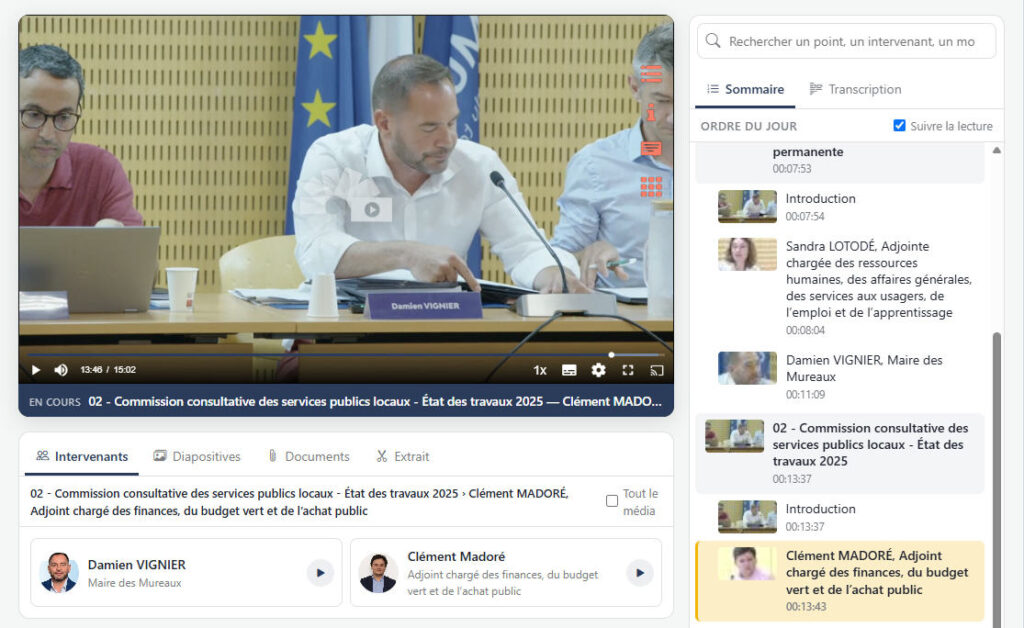
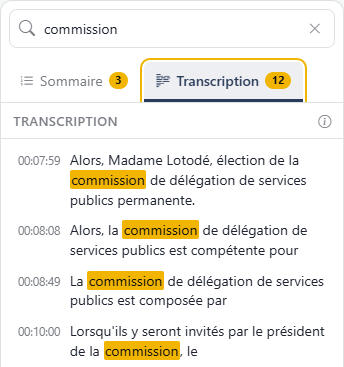
- The video is fully subtitled for accessibility and to display an interactive transcript synchronized with the video playback: you can search for a word or a name and access the segment where it is spoken with a single click.
- The table of contents (or chapter breakdown, or agenda…) can have multiple hierarchical levels. Simply define a start time and a level to create segments.
- You can associate one or more speakers (photo, name, and title) with a segment.
- You can associate one or more images (photo, graph, map, diagram…) with a segment.
- You can associate downloadable documents with a sequence or with the entire video.
Thus, as you read, the various elements appear in sync. When a speaker is speaking, you can view their profile, enlarge the image they are discussing, and download the document they authored. If you search for them in the table of contents, you can find all of their contributions.
The Result
You’ll be able to try out the app below, but here are a few screenshots to whet your appetite, along with some explanations.
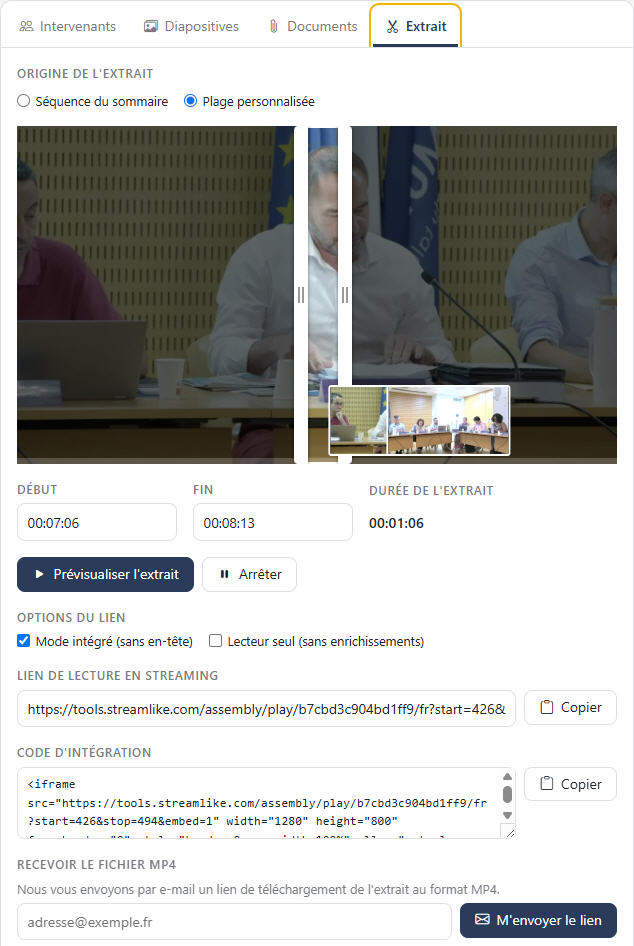
If a visitor wants to share a clip, they can select an existing clip or create a custom one, and then copy a link, copy an embed code, or have a download link sent to them via email.
It goes without saying that the interface is “responsive.” In ‘desktop’ mode, the table of contents and transcript are always visible to the right of the video, and the other four features (Speaker, Slides, Documents, and Clips) are located below. In “mobile” mode, all six features are grouped below the video.
This enhanced player is a “StreamApp” that can be integrated with other components, such as SSO authentication or user account creation. It works with all Streamlike plans, including the Streamlike.eco offering.
And since our developer had limited time to put together a demo, he developed another interface to speed up content creation. Since an “enriched” replay generally needs to be available within 24 hours of the live broadcast, the ease of enrichment is no small matter!
Once our developer finished creating the demo, he still had time to build a menu for customizing the appearance of all interface components and to create (brief) online documentation!
Key takeaways from this experience:
- With clear specifications, an AI agent, and a powerful API, developing a custom application has become extremely fast.
- What matters most is no longer the application itself, but the video hosting solution and the integration tools that come with it.
The Demo
Here is the demo, which covers the first 15 minutes of a City Council meeting in Les Mureaux, chosen at random: